
TL;DR – Modernizing Attendance & Academic Infrastructure
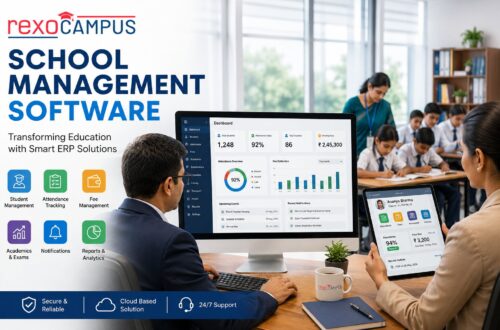
Integrating a state-of-the-art, cloud-native student attendance tracking software within your wider educational tech stack represents the single most direct catalyst for boosting operational efficiency, safeguarding student security, and maximizing state-allocated funding. By moving away from highly manual paper registries and standalone spreadsheets, modern educational institutions can connect real-time attendance tracking directly to a unified student database management system, attendance software for schools, and school billing software. This integration eliminates administrative friction, eliminates human data entry errors, and guarantees full regulatory and financial compliance. Ultimately, deploying unified student management systems ensures data-driven student support while fostering a secure, modern campus environment for all stakeholders.
DLR – Deep Look & Detailed Reading Checklist
For school district superintendents, registrars, college deans, and education technology administrators seeking a robust roadmap to deploy a high-fidelity attendance tracking network, this DL;DR detailed checklist outlines the vital architectural milestones required to implement a premier campus-wide solution:
- Relational Database Integration: Syncing attendance trackers directly with a central relational student database management system to keep demographic files, course enrollments, and grading catalogs perfectly synchronized in real-time.
- Hardware Interoperability: Equipping the campus with a flexible spectrum of data capture methods, including RFID, barcode scanning, biometric recognition, and geofenced mobile check-ins via a secure new school login portal.
- Logistical & Transit Syncing: Unifying campus-wide tracking with specialized systems such as a campus management system, securing transit routes, and deploying asset management software for schools to oversee tracking hardware.
- Fiscal Alignment & Automation: Linking daily attendance data to school billing software and online school accounting software to manage class fees, track financial aid compliance, and automate recurring tuition billing schedules.

1. The Administrative Evolution: From Roll-Call to Automated Attendance
For generations, the start of the school day was defined by a classic, highly manual classroom ritual: the teacher calling out names from a paper roster, and students calling back to confirm their presence. While this traditional roll-call process was once the standard of classroom management, it represents a significant drain on valuable instructional time in modern high-speed educational environments. In a typical forty-minute class, taking manual attendance can consume up to ten minutes, accumulating to weeks of lost teaching time over the academic year. Furthermore, manual paper ledgers are highly prone to human error, easily lost, and vulnerable to student deception, leaving the school with unreliable administrative data.
During the nineteenth and twentieth centuries, school record-keeping rooms housed massive physical cabinets packed with paper attendance registers. These historical records required extensive storage space, were highly vulnerable to fire or water damage, and were extremely slow to retrieve. If a state auditor requested the historical attendance records of a district to verify funding allocations, clerks had to spend weeks manually pulling, sorting, and verifying paper files. The introduction of early spreadsheet applications in the 1990s digitised these records, but because these early files were stored locally on individual computers, they created isolated “digital pockets” that did not share data across the institution.
Without integrated attendance software for schools, the administrative delay between a student’s absence and the school’s response is a major security and parent-satisfaction risk. In a manual setup, paper attendance sheets must be sent to the front office, where administrative staff manually type the absences into a localized computer system. This process is slow, meaning parents are often not notified of a child’s absence until late in the afternoon. If a student skips class in the morning, the school should know and notify the parents immediately, not hours after the student has left the campus boundaries.
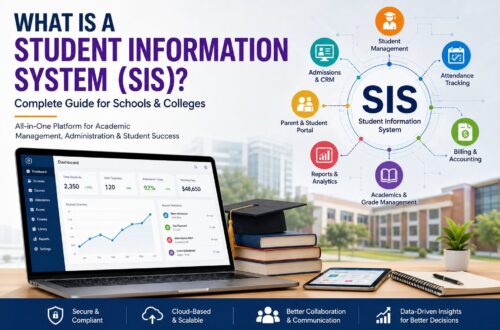
Today, the operational demands on modern K-12 school districts and higher education institutions have reached unprecedented levels of complexity. Academic institutions are no longer just centers of instruction; they are multi-million dollar organizations managing complex physical facilities, diverse logistics networks, delicate safety guidelines, and extensive asset investments. To successfully navigate this evolving landscape, progressive administrators are adopting integrated **software for student management** solutions. This comprehensive guide details **what is a student information system** and how unifying campus operations under a single digital ecosystem transforms educational management, optimizes budgets, and ensures data safety across the board.
The transition to cloud-native **student attendance tracking software** represents a major operational shift. By automating data collection, schools can return thousands of hours of teaching time to their instructors while securing a highly accurate, real-time dataset of campus movement. More importantly, this transition helps create a unified **student data management** framework where attendance data is not isolated, but flows instantly to the registrar’s grading catalog, the financial team’s billing tools, and the student services team’s counseling files, ensuring a highly responsive, data-driven learning environment.
2. The Architectural Foundation: Relational Student Databases & SIS Integration
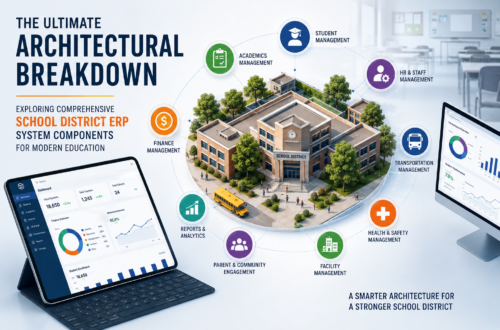
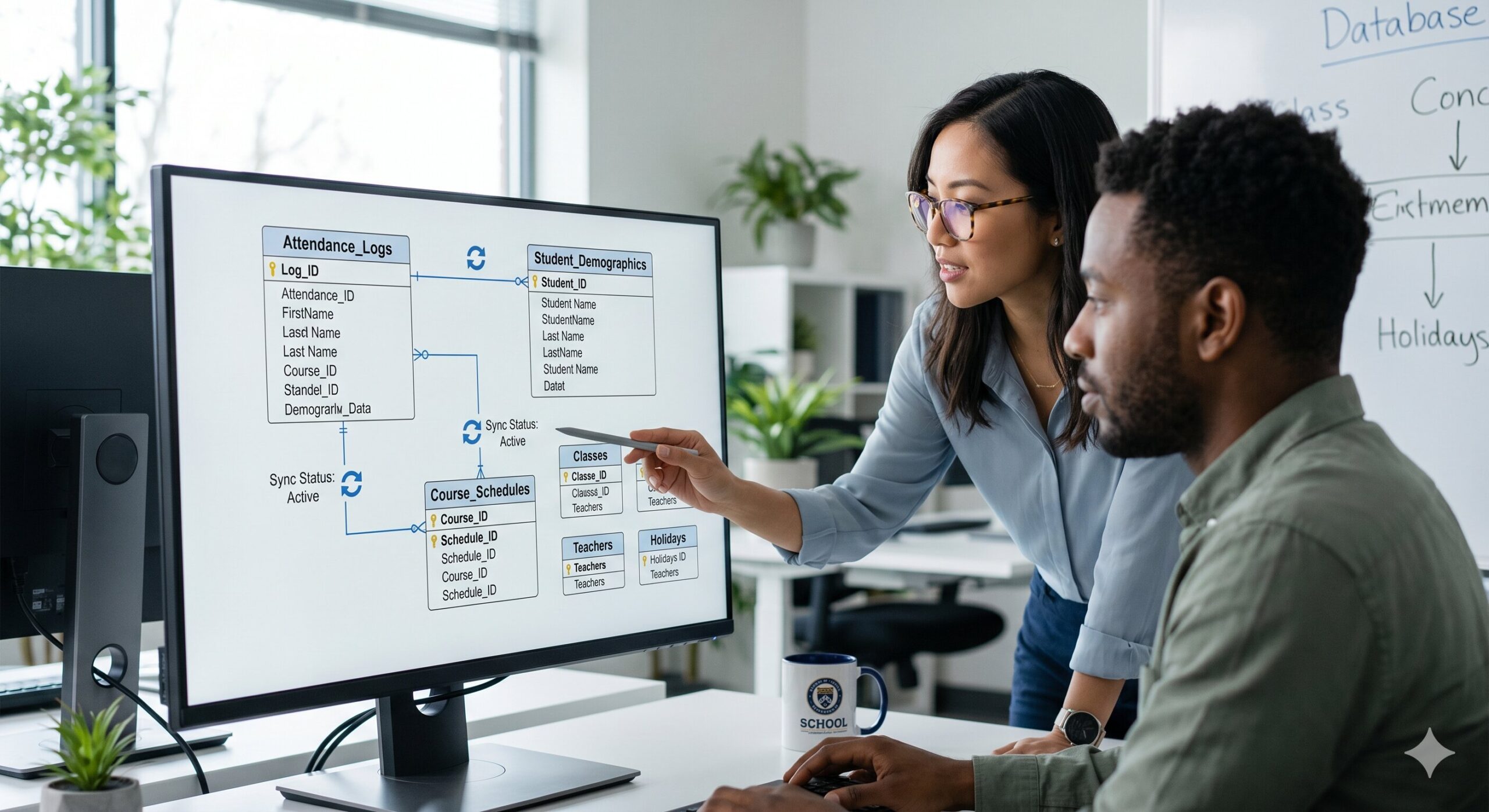
To understand the operational power of a next-generation **student attendance tracking software** platform, one must look beneath the user interface and analyze the underlying relational database architecture. An enterprise-grade attendance tracker cannot exist in isolation; it must be built upon a robust, unified **student database management system** schema. Unlike standalone software packages that store records in separate databases, a unified schema ensures that every check-in, tardy mark, and absence log is connected directly to a central student profile table, providing a single source of truth across the entire organization.
The database schema of a premium student information management system consists of several interconnected tables, including student demographic tables, course enrollment catalogs, teacher assignments, physical classroom registries, and attendance transaction tables. These tables are linked using primary and foreign keys. For example, when a student scans their ID badge at a classroom door, the tracking hardware sends their unique student ID and the scanner’s location to the central database. The relational engine instantly looks up the student’s enrollment records, verifies their scheduled class for that hour, and logs their attendance status, all without duplicating any data.
This relational design is critical for maintaining absolute data integrity. In legacy administrative setups, if a student changed their class schedule, the registrar had to manually update multiple files across the school: the class roster, the attendance sheets, the athletic department rosters, and the bus schedules. If a file was missed, it led to data errors, outdated records, and communication failures. In a modern relational **student database management** system, class schedule changes are updated once in the central profile. Because the attendance tracker, the teacher portals, and the transportation tools all reference this central database, the updated schedule is reflected instantly across all departments, preventing data inconsistencies.
Furthermore, high-performance database architectures utilize advanced indexing and caching technologies to ensure rapid data retrieval. Even in massive, multi-campus university networks with hundreds of thousands of active students and millions of monthly transactions, administrators can search for complex attendance trends—such as flagging all students in a college department who have missed more than two classes, maintain a GPA below 2.5, and have outstanding lab fees—and receive highly accurate, actionable reports in milliseconds. This rapid data processing is essential for early-intervention student support and state compliance reporting.
Security and access control are critical layers of this database architecture. Because an SIS stores highly sensitive personal and academic data, the database must be shielded by robust security measures. Modern platforms use role-based access control (RBAC) to ensure that users can only view and modify the specific data required for their roles. For instance, a teacher can view and edit attendance logs for their assigned classes, but cannot access student billing files. Conversely, a financial clerk can process payments but cannot edit academic grade sheets. This strict security ensures data protection and full compliance with regulations like FERPA and GDPR.
3. Tech-Driven Data Capture: Comparing Modern Attendance Tracking Hardware
Selecting the right hardware for student check-ins is one of the most critical decisions an institution must make when deploying a **student attendance tracking software** platform. The chosen methodology must align with the school’s student demographics, campus layout, budget constraints, and operational goals. Modern educational institutions can choose from a wide spectrum of data capture methods, each offering distinct advantages in terms of speed, accuracy, convenience, and cost. Understanding these options is key to designing a highly effective campus check-in system.
| Tracking Technology | Core Operational Method | Institutional Advantages | Typical Best Use-Case |
|---|---|---|---|
| Barcode & QR Scanning | Students scan printed ID cards or digital codes from mobile phones at entry kiosks. | Very low initial hardware costs, easy to deploy, and simple for students to use. | K-12 school building entrance checking and library access. |
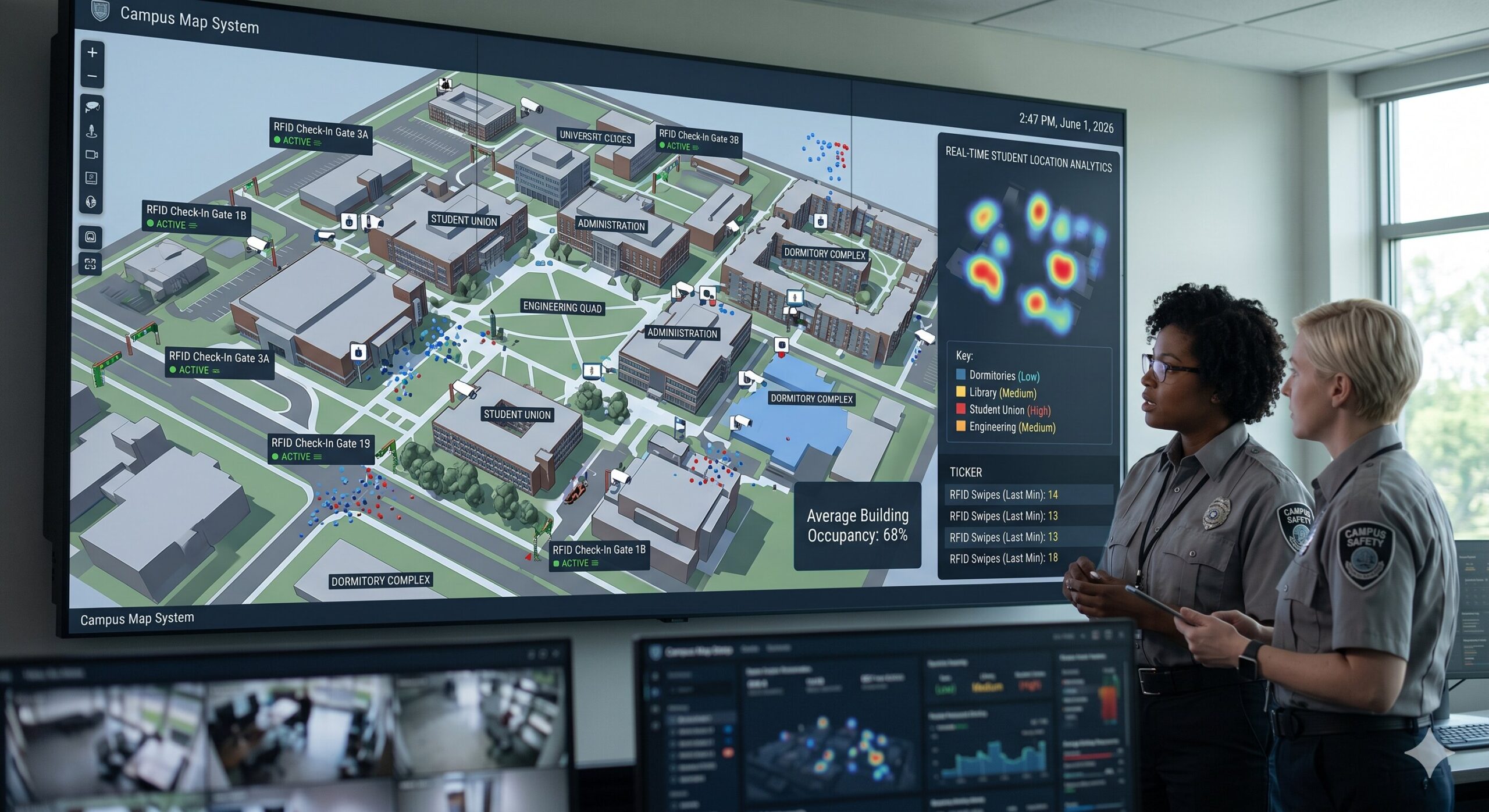
| RFID Smart Cards | Students tap contactless smart cards or pass through sensor-equipped entry gates. | Rapid check-in speeds, highly durable cards, and supports multi-module integrations. | Large university campuses, residential halls, and public school bus fleets. |
| Biometric Scans | Scanners capture fingerprints or facial geometry to verify a student’s presence. | 100% accurate, eliminates card swapping (proxy attendance), and no physical keys to lose. | High-security campus laboratories and boarding school check-in points. |
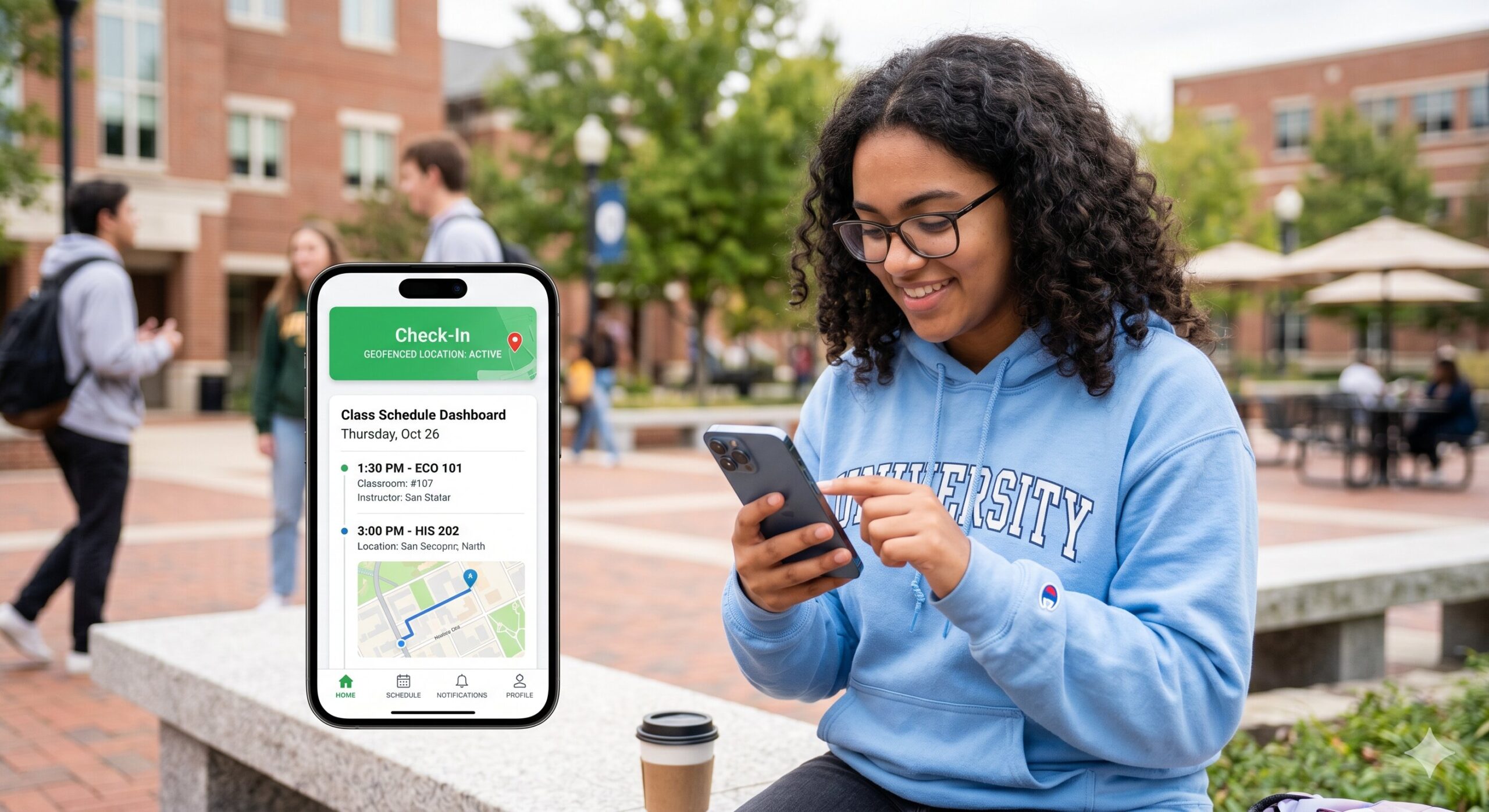
| Geofenced Mobile Apps | GPS-enabled mobile check-in via a secure app when the student enters the classroom zone. | No physical hardware required, highly convenient, and supports self-service check-in. | Higher education lecture halls and adult education campuses. |
Barcode and QR Code Scanning Systems
Barcode and QR code scanners represent a highly popular, budget-friendly entry point for automated attendance tracking. Every student is issued a physical ID card printed with a unique barcode, or given a secure digital QR code within their student mobile app. When students arrive on campus or enter a classroom, they scan their barcode at a wall-mounted reader or tablet kiosk. The **attendance software for schools** processes the scan instantly, records their presence in the central database, and updates their attendance record in real-time, providing a fast and reliable check-in process.
The primary advantage of barcode and QR systems is their low cost and simplicity. Scanning hardware is highly affordable and easy to install, while replacement cards are cheap to print. However, this system relies on students carrying their physical ID cards or keeping their smartphones charged. If a student forgets their card, administrative staff must manually enter their ID number at the kiosk, creating minor check-in delays. In addition, these systems cannot completely prevent “proxy scanning,” where a student scans their absent classmate’s card to mark them present.
RFID Contactless Smart Card Networks
Radio Frequency Identification (RFID) systems offer a faster, more automated check-in experience. Instead of scanning a barcode, students tap their contactless smart card against an RFID reader, or simply pass through high-frequency sensor gates at school entrances. The RFID reader captures the unique card signal, associates it with the student’s profile in the central database, and records their presence instantly, allowing hundreds of students to check in quickly during busy morning rushes.
RFID systems are highly durable, fast, and support multiple campus integrations. The same RFID smart card used for attendance can also serve as a secure room key for residential dorms, a library checkout card, a cafeteria meal-plan pass, and a school bus entry ticket. While the initial setup and card printing costs are higher than barcode systems, the durability and versatility of RFID networks make them a highly cost-effective, premium solution for busy schools and universities.
Biometric Identification and Advanced Verification
For institutions requiring high security and absolute data accuracy, biometric tracking systems represent the gold standard of attendance verification. These systems use fingerprint scanners or facial recognition cameras to capture unique biological traits, comparing the data against encrypted templates stored in the **student database management system** to verify the student’s identity and record their presence instantly, eliminating data errors and proxy check-ins.
The biggest benefit of biometric systems is their absolute accuracy, as students cannot share or forget their biological traits. This eliminates “proxy attendance” and ensures highly accurate school records, which is critical for high-security laboratories, testing centers, and residential boarding schools. However, biometric systems require a larger initial investment in hardware and software, and schools must implement strict data privacy and encryption protocols to protect sensitive biological data and address parental privacy concerns.
Geofenced Mobile Applications and Self-Check-in
In higher education settings where students are older and carry smartphones, geofenced mobile apps represent a modern, hardware-free attendance solution. The university’s mobile student app uses the phone’s GPS and Bluetooth sensors to verify their location. When a student enters their scheduled lecture hall, the app enables a secure check-in button, allowing them to tap and confirm their attendance, which is recorded instantly in the central college database.
Geofenced check-in eliminates the need for expensive physical scanning hardware in large lecture halls, making it highly scalable and affordable for large universities. It also encourages student self-service and responsibility. However, this system requires a modern campus Wi-Fi network to support thousands of concurrent mobile connections, and schools must provide alternative check-in options for students without smartphones to ensure full accessibility and compliance.
4. Unified Integration: Linking Attendance with LMS, Billing, & Accounting
The true power of a next-generation **student attendance tracking software** platform is realized when it is fully integrated with other critical administrative and academic modules. When attendance trackers, class registries, learning tools, and billing systems operate within a unified ecosystem, schools can automate complex workflows, eliminate double data entry, and gain valuable operational insights. This unified integration transforms attendance data from a simple roll-call record into a vital driver of student success and fiscal health.
Learning Management System (LMS) Interoperability
In modern blended learning environments, the administrative database (SIS) and the learning platform (LMS) must operate as a unified system. While the SIS manages student demographic records, billing files, and official grading catalogs, the LMS manages daily learning activities, online discussion boards, homework submissions, and digital quizzes. Unifying these systems using standards like IMS Global LTI and OneRoster ensures that rosters are synchronized and student grades and attendance data flow instantly between platforms.
Without this integration, instructors must manually copy and paste student rosters and final attendance grades between the SIS and the LMS, which is highly tedious and prone to manual typing errors. A unified college management system automates this workflow, pushing student enrollments from the SIS to the LMS instantly, creating their online learning accounts, and syncing their daily LMS participation grades back to the official SIS grading register automatically, saving hours of manual administrative work for teachers.
Syncing Attendance with Tuition Billing & Online Accounting
Daily student attendance records have a direct, substantial impact on the financial health of an educational institution. In K-12 public school districts, state and federal funding allocations are directly dictated by student attendance rates, often calculated using Average Daily Attendance (ADA) metrics. In higher education, maintaining accurate attendance records is a strict requirement for financial aid compliance, student visa verifications, and scholarship eligibility. To manage these financial realities, attendance systems must integrate directly with specialized financial modules.
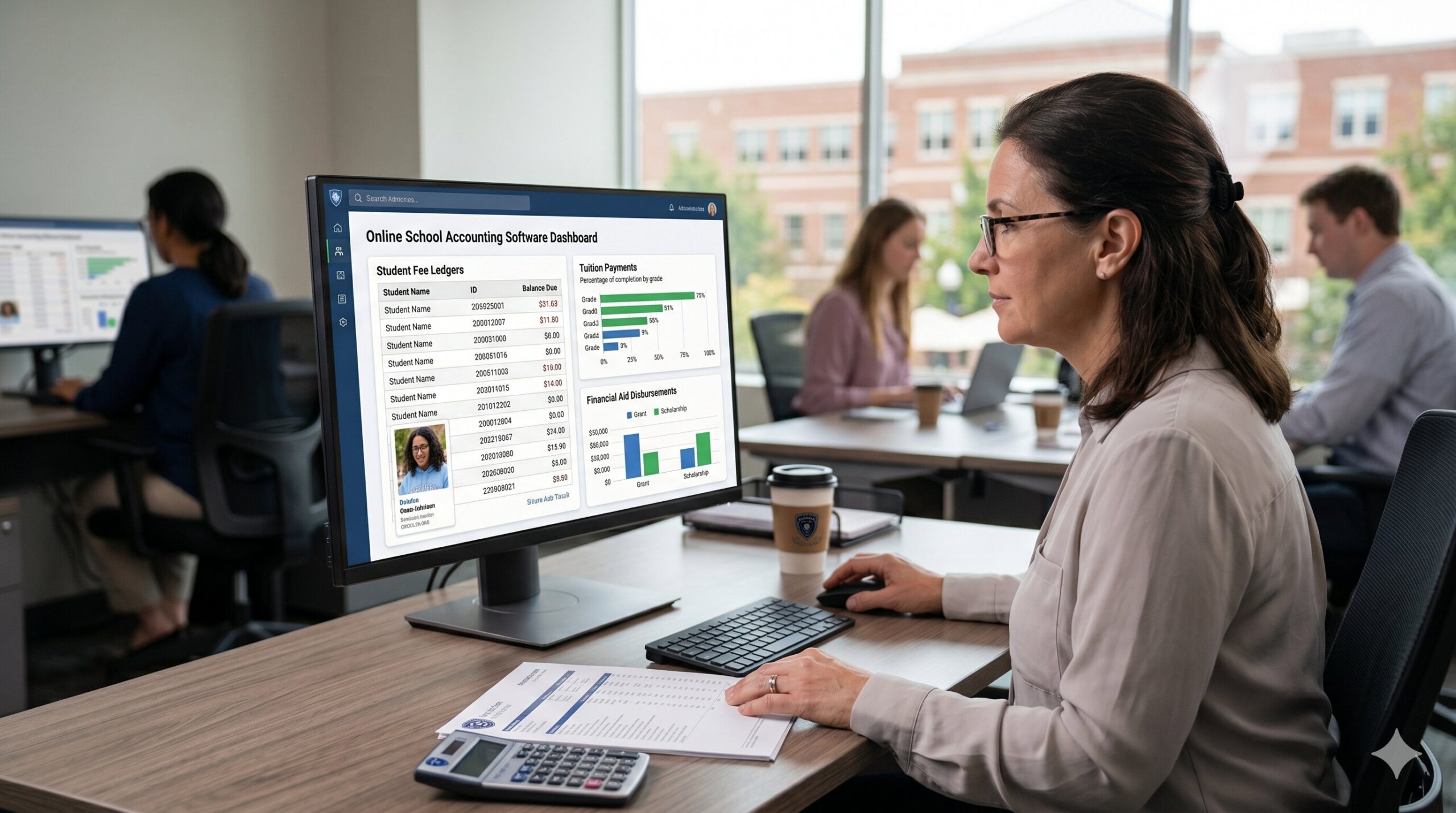
Deploying specialized school billing software alongside comprehensive online school accounting software ensures that attendance-linked financial events are processed automatically. For instance, if a student’s attendance rate falls below compliance thresholds, the system can automatically flag their record, alert their financial aid advisor, and pause their tuition disbursements, preventing compliance violations. Additionally, for specialized courses that charge dynamic attendance fees, the billing engine can calculate and apply these fees to the student’s financial ledger automatically, ensuring accurate financial management.
5. Institutional Dynamics: Navigating the Needs of K-12 vs. Higher Education
While public school districts and higher education institutions share the core goal of educating students, their daily operations, administrative structures, and regulatory requirements are fundamentally different. These differences dictate that a **student attendance tracking software** platform must be highly tailored to the specific educational sector it serves. A system designed for a K-12 school will rarely succeed in a university setting, and vice versa. Understanding these distinct institutional dynamics is key to selecting the right system.
K-12 Districts vs. Higher Education: Key Attendance Differences
Understanding how administrative needs and regulatory requirements differ between secondary school districts and colleges is critical for choosing the right system:
- Parental Involvement (K-12 Focus): Parents are the primary contacts and hold the legal rights to student data. The system must feature secure parent portals, automated real-time SMS alerts for absences, and verified student pick-up authorizations.
- Student Self-Service (Higher Ed Focus): Students are the primary users and hold their own data privacy rights under regulations like FERPA. The system prioritizes self-service course registration, geofenced mobile check-ins, and online student portals.
- Funding Calculations (K-12 Focus): School funding is often directly linked to daily attendance rates (ADA). The database must generate detailed, audit-ready compliance reports for state departments of education.
- Visa & Aid Compliance (Higher Ed Focus): Attendance tracking focuses on maintaining international student visa compliance and meeting Title IV financial aid regulations to protect vital university funding.
K-12 Administration: Parent Portals, Security, & District Logistics
For K-12 districts, the focus of the administrative software is heavily centered on parent communication, student safety, and district-wide logistics. In a K-12 setting, parents need real-time visibility into their child’s school day. The **school management system** must feature a secure parent portal where families can check daily attendance logs, view teacher notes, submit electronic excuse notes, and authorize emergency pick-up permissions, keeping parents actively engaged in their child’s safety and education.
Furthermore, daily attendance tracking is closely linked to school bus transit logistics and student safety during the commute. When a student scans their ID card as they board the school bus, the system logs their check-in and updates the student database. Parents can view this GPS-linked transit data in their mobile app, knowing exactly when their child boards and exits the school bus. If a student is absent from school, the system automatically alerts the bus routing coordinator, optimizing routes and reducing fuel consumption across the district fleet.
Higher Education: College Management & Academic Retention Platforms
In contrast, a **higher education student management system** is designed to support student self-service and manage highly flexible, complex academic structures. In a university setting, students manage their own schedules and academic paths. The **college management system** must provide a secure **new school login** portal where students can register for classes, view degree checklist requirements, pay tuition bills, track their attendance across multiple lecture halls, and communicate with academic advisors, fostering student independence.
Additionally, university administrators use attendance data to drive student retention and graduation rates. By continuously tracking attendance in large lecture halls, the platform can use predictive analytics to identify students who are beginning to disengage. If a student misses several classes in a row, the system automatically flags their profile and alerts their academic advisor, allowing them to provide targeted academic counseling and support before the student falls too far behind, significantly improving the college’s retention rates and student outcomes.
6. Financial Optimization: Maximizing ROI with Online School Accounting & Billing Systems
The financial operations of an educational institution are highly complex, requiring the management of diverse tuition rates, course-specific fees, scholarship allocations, payment plans, and strict accounting compliance guidelines. Attempting to manage these complex financial transactions using generic business accounting systems is highly challenging, as they lack the specialized education logic required for student billing. To maintain complete ledger integrity and automate financial workflows, schools must adopt specialized billing systems.
One of the primary challenges in school finance is managing the diverse range of fees that must be charged to students. A single student may have a unique billing profile that includes standard tuition, technology fees, laboratory fees, athletic fees, transportation fees, and library fines. Manually calculating these bills for thousands of students is highly tedious and prone to errors. An integrated **school billing software** engine automates this process, applying custom billing profiles to student records based on their enrollment and attendance data. If a student registers for a biology lab, the lab fee is automatically added to their financial ledger, ensuring accurate billing.
This automated billing extends to the student and parent portals, where families can view their real-time financial statements, set up recurring installment payment plans, and make secure online payments using credit cards or electronic bank transfers. The system processes these transactions through secure payment gateways, updates the student ledger instantly, and sends a digital receipt to the family. This self-service portal significantly reduces the administrative workload on the school’s billing office, minimizes payment delays, and eliminates the risks of handling cash and paper checks on campus.
Financial & Logistical Modules of a Premier Campus Ecosystem
Maximize your school’s return on investment and streamline operations by integrating these core financial and logistical modules:
- Integrated Billing Engine: Calculates and applies tuition, athletic, and course-specific fees automatically using specialized school billing software, reducing manual billing errors.
- Online Parent Payment Portals: Provides secure, self-service online portals for credit cards and bank transfers, accelerating cash flow and reducing administrative work.
- Fund Accounting Ledgers: Maintains detailed financial records using compliant online school accounting software, ensuring complete audit readiness and government compliance.
- Asset Tracking Software: Monitors and manages high-value school assets like laptops, tablets, and scanning hardware using specialized asset management software for schools, preventing shrinkage.
Furthermore, specialized **online school accounting software** ensures complete compliance with governmental accounting standards for educational institutions. The software maintains detailed audit trails of every financial transaction, supports fund accounting principles, and automatically generates required financial reports like end-of-year tax statements for families and compliance audits for state departments of education. This rigorous financial management prevents fraud, optimizes operational budgets, and protects the school’s overall fiscal health.
For institutions utilizing robust financial modules, the savings in administrative overhead can be significant. By automating tuition invoicing, fee calculations, payment reminders, and bank reconciliations, the billing department can reallocate staff resources to other critical tasks. More importantly, automated payment reminders and flexible payment plan options dramatically reduce outstanding tuition balances, ensuring the school has a predictable, healthy cash flow to support its academic programs and campus facilities.
7. Strategic Execution: Selection, Data Migration, & System Deployment Methodology
Choosing and implementing a new school management system is a major project that requires careful planning, stakeholder buy-in, and a structured migration strategy. Many software implementations fail not because of the software itself, but because of poor user training, inadequate data migration, or a lack of clear goals. Following a proven step-by-step selection and deployment process is the key to ensuring a smooth transition and a strong return on your software investment.
The process begins by forming a cross-functional selection committee that includes representatives from every department, including academic deans, IT directors, finance officers, facilities managers, transportation coordinators, and parent representatives. This committee is responsible for defining the institution’s unique requirements, evaluating potential vendors, and ensuring that the selected platform meets the needs of all users. This collaborative approach helps prevent post-purchase frustrations and ensures that the new system is embraced across the entire institution.
Once a platform is chosen, the implementation team must focus on data migration and staff training. Migrating historical student records, financial data, asset inventories, and facilities schedules from legacy databases is a delicate task that requires meticulous planning and validation. In addition, the school must provide comprehensive, role-specific training sessions for all users—ranging from teachers learning the new grade-book to cafeteria staff using the inventory portal—ensuring everyone is comfortable and proficient with the new system before it goes live.
Step-by-Step Implementation Framework
Ensure a successful, stress-free transition by following this structured deployment checklist:
- Needs Assessment & Committee Formation: Form your cross-functional selection committee and document the specific requirements and pain points of each department.
- Detailed Vendor Evaluation: Request detailed demonstrations, check references, and verify that the platform complies with all data privacy and security regulations.
- Structured Data Migration: Clean and format historical data before migrating it, running extensive testing to ensure complete accuracy.
- Role-Specific User Training: Provide tailored, hands-on training sessions for teachers, administrators, facilities teams, and bus drivers.
- Phased Deployment Strategy: Consider launching the new system in phases (e.g., launching facilities first, then student billing, followed by transportation) to make the transition manageable.
- Continuous Support & Optimization: Gather feedback regularly and work with your vendor to implement updates and refine workflows.
8. Emerging Industry Trends: The Future of Student Attendance & Campus Administration
The educational technology industry is evolving rapidly, driven by advancements in cloud computing, artificial intelligence (AI), data security, and mobile communication. School administrators, technology directors, and facilities managers must stay informed about these emerging trends to ensure their institutions do not fall behind, adopt outdated technologies, or expose themselves to data security risks. Keeping a close eye on the latest ed-tech developments is essential for making informed long-term software decisions.
One major trend highlighted in administrative planning is the rapid shift away from local, on-premise servers toward fully cloud-hosted software-as-a-service (SaaS) platforms. Cloud hosting offers substantial benefits, including automatic updates, high-grade data encryption, and remote access for administrators and parents. It also eliminates the need for expensive server hardware on campus, reducing utility bills and IT maintenance workloads, and allowing tech teams to focus on supporting teachers and students in the classroom.
Another prominent topic in student administration is the growing integration of AI and machine learning into daily administrative workflows. AI algorithms can analyze years of school data to predict which students may need additional academic support, automate complex course scheduling, and optimize building energy usage based on real-time classroom bookings. These smart features allow schools to work more efficiently, automate repetitive tasks, and use data-driven insights to improve student outcomes and lower operational costs.
Additionally, data privacy regulations and cybersecurity remain critical topics in industry discussions. As educational institutions collect more digital data, protecting student records from cyber threats has become a top priority. Modern administrative software must follow strict security standards like SOC 2, and comply with legal frameworks such as FERPA and GDPR. Security-focused updates highlight how platforms use advanced features like multi-factor authentication (MFA), continuous vulnerability scanning, and end-to-end data encryption to secure student information and keep schools safe from data breaches.
9. Conclusion: Unifying the Administrative Divide for a Connected Campus
Ultimately, deploying a robust, cloud-native **student attendance tracking software** platform is one of the most impactful administrative investments an educational institution can make. By moving away from disjointed legacy silos and manual paper processes, schools and colleges can unify critical workflows—ranging from admissions and course scheduling to daily attendance and tuition billing—under a single, cohesive digital ecosystem. This integration eliminates administrative friction, protects student data, lowers operational costs, and ensures complete compliance with state and federal regulations.
As educational environments continue to evolve, the institutions that embrace integrated, data-driven campus management systems will be best positioned to succeed. By connecting student demographics, class schedules, financial records, and daily attendance logs within a single relational database, administrators can transition from reactive troubleshooting to proactive, strategic management. This operational shift allows school leaders to direct their precious resources back to their core mission: providing a high-quality, supportive, and engaging learning environment for every student on campus.
Frequently Asked Questions (FAQ)
-
Q: How does student attendance tracking software prevent proxy check-ins (card swapping)?
A: To eliminate proxy attendance, institutions can implement biometric data capture methods, such as fingerprint scanners or facial recognition cameras. These systems verify the student’s unique biological traits before logging their presence, ensuring complete accuracy. Alternatively, geofenced mobile applications track the student’s physical device in the classroom, making card swapping extremely difficult.
-
Q: Can attendance tracking software integrate directly with our school bus transportation tools?
A: Yes! Enterprise-grade campus systems integrate transportation and attendance modules seamlessly. When a student scans their RFID smart card boarding or exiting a school bus, the system logs their check-in and updates the central student database instantly. This real-time synchronization allows parents to track their child’s transit status on their mobile phones and helps route coordinators optimize bus schedules.
-
Q: How does modern school billing software comply with strict data security standards like FERPA?
A: Modern student information systems build data privacy directly into their architecture using role-based access control (RBAC). This ensures that only authorized staff members can view sensitive financial or academic records. Additionally, student portals use advanced data encryption, multi-factor authentication, and secure payment gateways to process transactions safely and comply with all regulatory standards.
-
Q: What is the main difference between asset management software for schools and inventory management software?
A: The key difference is the operational lifespan of the items. **Asset management software for schools** is designed to track high-value, long-term capital investments that depreciate over time, such as laptops, tablets, smartboards, and bus fleets. In contrast, **inventory management software** monitors daily, consumable school supplies that are used up and reordered frequently, such as printing paper, cafeteria stock, and science lab chemicals.
-
Q: How long does it typically take to deploy a campus-wide student administration system?
A: A comprehensive system implementation typically takes between six to twelve months, depending on the size of the institution and the complexity of the data migration. Following a structured implementation methodology—including thorough needs assessments, database cleansing, phased system launches, and role-specific staff training—is critical for ensuring a smooth, secure transition without disrupting daily operations.